The Sandbox Channel
The Sandbox lets you test marketplace purchases, fulfillment, lifecycle events, and usage reporting without a marketplace account, credentials, or charges. Sandbox contracts are marked as simulated and are not included in production revenue reporting.
This is where you build your integration
You do not need a Suger listing, marketplace credentials or a real buyer. Connect the sandbox, point it at your own callback URL, and rehearse the whole lifecycle. Nothing you build has to change when you switch to Suger.
Connecting It
Open FinOps Center → Marketplace Channels and connect the Sandbox card. The drawer is the same one Suger uses, minus the credentials section — there is no marketplace account to authenticate against.
The fields
Omnistrate landing URL — shown, but there is nothing to register it with. A simulated channel has no listing and no upstream console, so this URL is only ever opened from the sandbox page.
Billing provider — locked to Sandbox. Usage reports remain in Omnistrate and are not sent to an external billing provider.
ISV portal callback URL (required) — where a simulated buyer lands after onboarding, with ?code= appended. Use your real portal callback here. Following the redirect chain in a browser is how you certify that endpoint, because the redeem you make there is the redeem production will make.
Event routing (optional) — configure a separate receiver URL for each event you want to test. A route for contract.discovered sends the initial handoff as a signed webhook; without that route, the credential rides the browser redirect to your callback URL. An event with no route is not delivered.
Signing secret (required) — at least 32 bytes. What rehearsal deliveries are signed with, using the identical scheme production uses. Verify against this and you have verified against production.
Synthetic email domain — buyer root users are derived from it, because several marketplaces return no buyer email at all. Use a domain you control or an obviously fake one such as buyers.example.invalid.
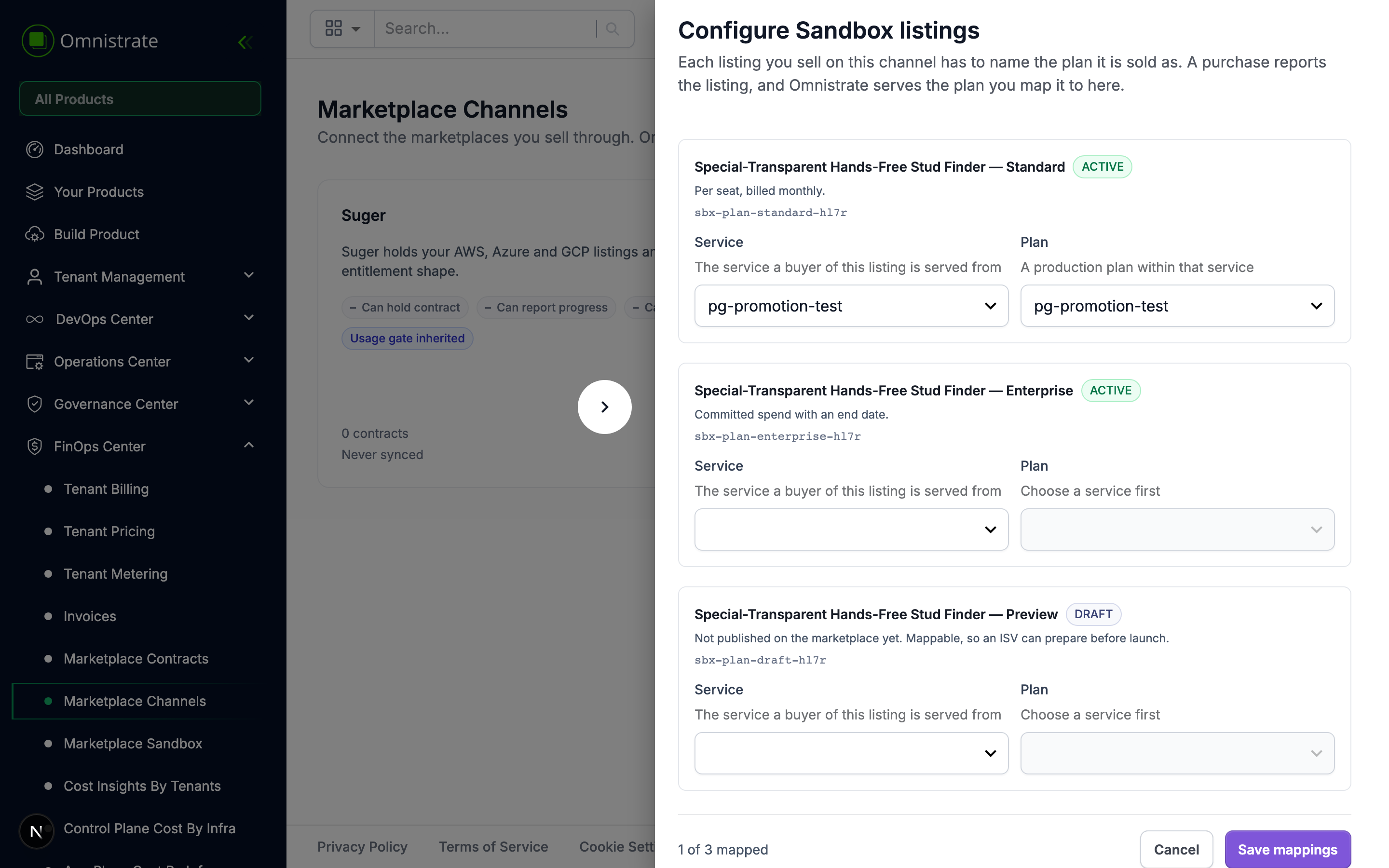
Map a listing
The Sandbox provides a small catalog containing standard, enterprise, and draft listings.
Map at least one to a SaaS Product and Plan of yours. A channel with nothing mapped cannot be enabled, because a purchase would resolve to no plan.
To test marketplace usage reporting, use a Plan that enables the MARKETPLACE billing provider and has a non-zero price for each dimension you expect to report. Custom metrics must also be declared on that Plan before you send events for them.
The draft plan is there on purpose
The catalog carries a DRAFT listing alongside the active ones. It is mappable, so you can prepare an integration for a plan before it is published, and it is a reminder that a real catalog contains things that are not for sale yet.
The sandbox page
FinOps Center → Marketplace Sandbox is where rehearsals are driven from.
Where deliveries go
The Sandbox uses the receiver configured for each event on the channel's Event routing tab. A route can be different for every event. An event with no route is not delivered.
Leaving only contract.discovered without a route is a valid browser-handoff setup; later lifecycle events still require their own routes.
Signing secret — held by the server and never shown again after it is created. Rotate to mint a new one, which invalidates the current one immediately.
Model a purchase
What the buyer bought — which of the channel's listings, and therefore which of your plans the contract resolves to.
Seats — the quantity on the contract.
A Sandbox contract is created only after you complete Simulate checkout, matching the point at which a buyer completes a marketplace purchase.
Rehearsing with a callback URL only
This is the simplest integration and the one most ISVs should start with. No webhook endpoint, no signature verification, no receiver to host.
Set up: connect the Sandbox with your portal's callback URL, leave the contract.discovered route empty, and map a listing.
Rehearse:
- On the sandbox page, choose a listing and a seat count, then Run.
-
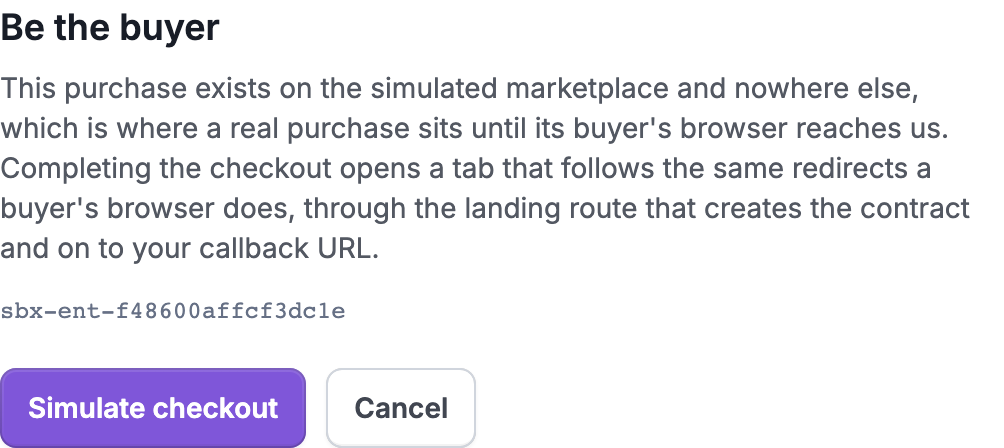
The checkout dialog opens. This is the marketplace's Subscribe button, standing in for a page you do not control.
-
Press Simulate checkout. A new tab opens and follows the real redirect chain: the checkout, then the landing route that creates the contract and starts fulfillment, then on to your callback URL with
?code=appended. That tab ends on your own page, exactly where your buyer will end up. -
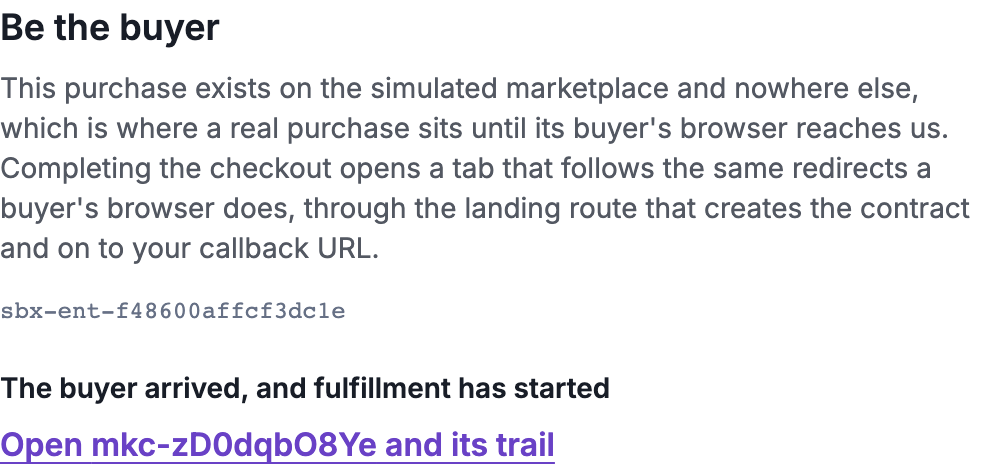
The dialog waits for the contract the arrival created, then links straight to it.
-
Your portal redeems the code, provisions the tenant, and calls confirm.
What you have certified by doing this is the whole path a real buyer takes, including your own callback handler and your own redeem call.
What callback-only does not cover
The redirect happens once, at purchase. Seat changes, plan changes, suspensions and cancellations all happen in the marketplace with nobody visiting your site. Configure an Event routing entry for each event you need before selling anything with a lifecycle.
Rehearsing with a Receiver
Set the contract.discovered receiver in Event routing to deliver the initial handoff as a signed webhook instead of putting the credential on the redirect. Configure the other event routes you want to exercise; they may use the same endpoint or different endpoints.
The sandbox signs with the same scheme production uses, so verifying a sandbox delivery is verifying a production one. See Verifying a delivery.
What the sandbox can do that Suger cannot
The sandbox is the only channel whose capabilities are an input rather than a fact. It starts on the most permissive matrix so that nothing is blocked until you deliberately narrow it:
| Capability | Sandbox default | Suger |
|---|---|---|
| Can hold contract | Yes | No |
| Can report progress | Yes | No |
| Can cancel | Yes | No |
| Usage gate | Soft | Inherited |
Narrow them to mimic the channel you actually sell through, and the rehearsal tells you what your integration does when a capability is missing.
Verify Usage Reporting
After confirming a simulated purchase, generate built-in usage or send a custom usage event for the created subscription. After the UTC hour completes, verify the resulting marketplace usage report.
Open FinOps Center → Marketplace Channels, edit the Sandbox channel, and inspect Sandbox usage reports. Each row shows the reporting window, stable dimension key, aggregated quantity, status, attempt count, contract, and channel result.
For the corresponding subscription-level request and response history, open FinOps Center → Tenant Metering, select the tenant, and choose Usage Reporting. See Billing and Usage Reporting for the complete verification and debugging flow.