Simulation Controls
Eight controls let you rehearse the purchase and lifecycle changes that a real marketplace can send. Use them to verify how your integration handles each change before enabling a production channel.
Two consequences worth stating plainly, because they surprise people:
- Simulating a purchase really does create a buyer organization, a synthetic root user and a subscription request in
PENDING. You approve it like any other. - Simulating a cancellation revokes the simulated subscription's access through the production lifecycle path. It does not delete data in your product.
The Controls
| Control | What it simulates | Where it applies |
|---|---|---|
purchase | A buyer completing a checkout | Arms one on the channel; creates nothing until they arrive |
plan_change | The buyer moving to a different plan | A contract past AWAITING_ISV |
quantity_change | The buyer adding or removing seats | A contract past AWAITING_ISV |
suspend | The marketplace suspending, usually non-payment | An active contract |
reinstate | The suspension being lifted | A suspended contract |
cancel | The buyer cancelling or the term expiring | Any live contract |
release_usage_gate | The marketplace licensing usage | A hard-gated contract |
stall_handoff | Nobody confirming, past the SLA | A contract in AWAITING_ISV |
Every control except purchase names the contract it acts on. purchase is the one that brings a contract into being, so there is nothing to name yet.
purchase
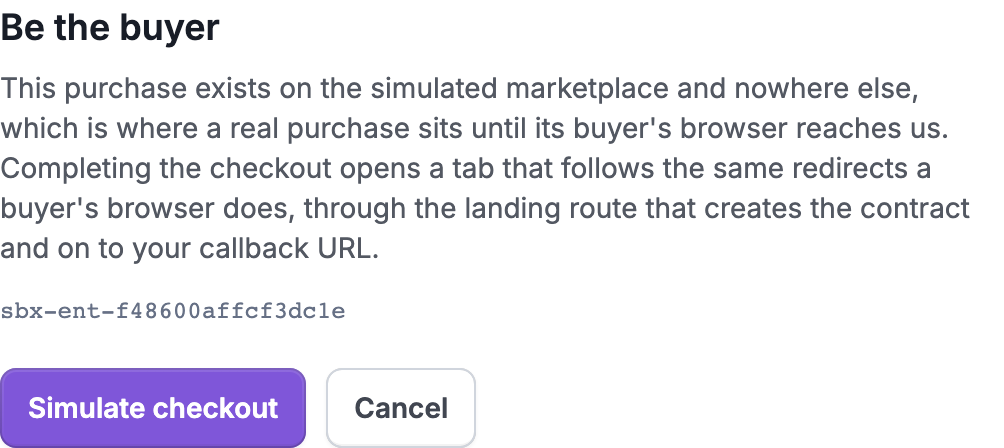
Starts a simulated marketplace checkout. The contract is created after you follow the checkout link and complete Simulate checkout.
plan_change and quantity_change
The buyer changed what they bought. Both re-read the entitlement and adjust the contract, and both emit entitlement.updated when that event has a configured receiver.
Use these to check that your integration adjusts limits rather than re-provisioning, and that it tolerates a change arriving for a tenant it already serves.
suspend and reinstate
suspend moves the contract to suspended, which blocks deployments. It is what non-payment looks like. reinstate puts it back.
Your integration should restrict access on a suspension and not delete data — a suspension is frequently temporary, and a reinstatement follows.
cancel
The contract is cancelled or expired. Omnistrate revokes subscription access and fulfillment drives to CLOSED. When contract.cancelled has a configured receiver, Omnistrate delivers the event after the access change so you can begin your own offboarding and retention process. Omnistrate does not delete data in your product.
This is the control to use when you are finished with a rehearsal contract, and it is the only thing that ends one: there is no delete for a contract because the mirror remains a record of what the channel reported.
release_usage_gate
Simulates a marketplace authorizing usage reporting after fulfillment. Use it when the Sandbox channel is configured with a HARD usage gate. With a SOFT gate, usage reporting starts after activation and there is nothing to release.
stall_handoff
The contract sits in AWAITING_ISV past its SLA, so you can watch the orphan alarm fire and see the paying-and-cannot-use-it quadrant light up on the contracts strip.
This is the control that rehearses your failure rather than the marketplace's: what an operator sees when your confirm never arrives. A contract in that state emits fulfillment.failed.
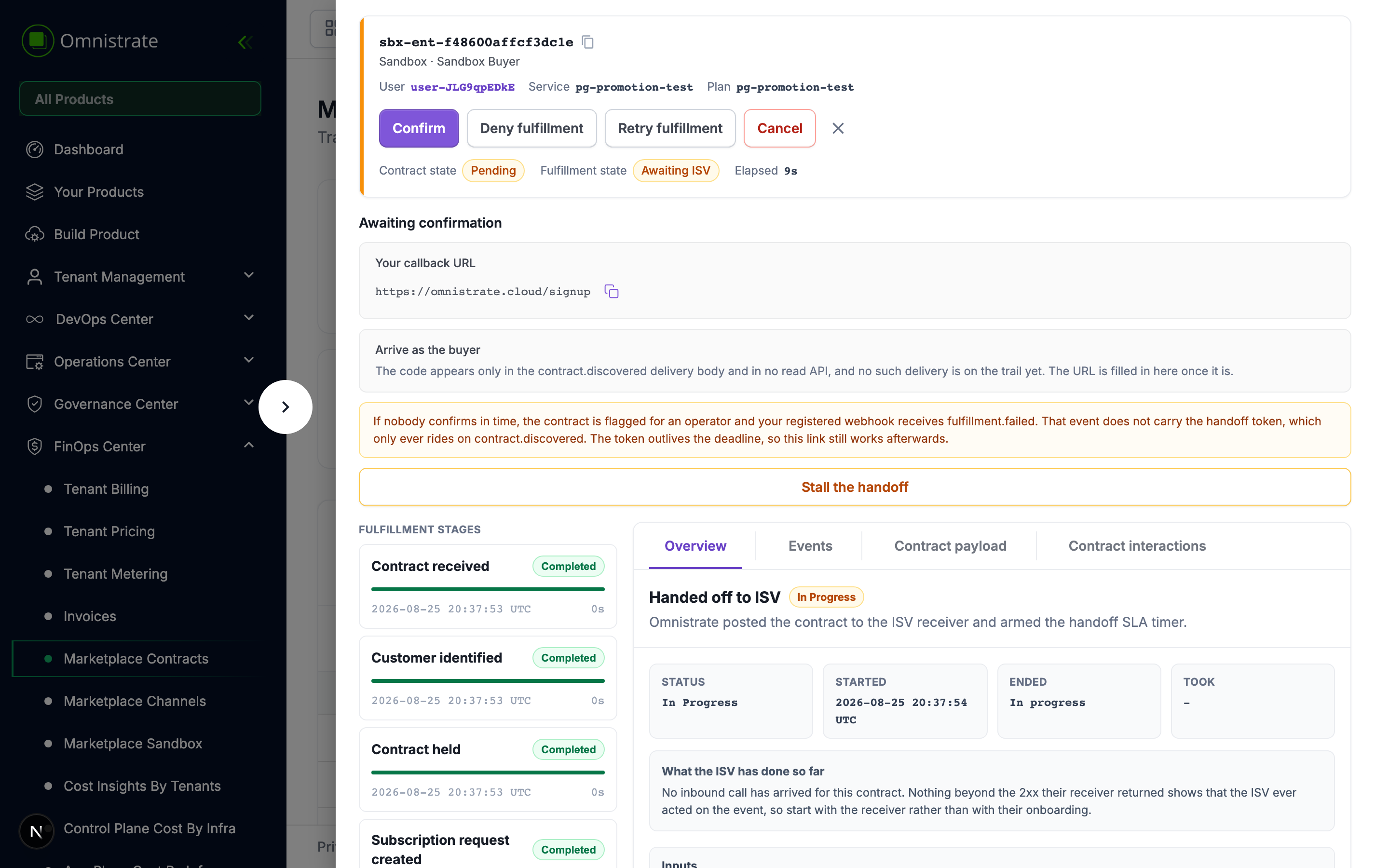
fulfillment.failed does not carry the handoff token
The token only ever rides on contract.discovered. The token outlives the deadline, so if you still hold it you can confirm after a stall — but a failure event alone will not give you one.
Driving them from the console
Each control appears on the simulated contract itself rather than on the sandbox page, because every one of them except purchase acts on a contract that already exists. Open the contract from Marketplace Contracts and the channel controls sit beside the fulfillment actions.